
FOR MAC · DIGITAL LOGIC
Circuit Deck: bring digital logic into focus
Draw circuits, explore how they work, and create clear diagrams for teaching, studying, and presentations. Circuit Deck brings electronic schematics, logic simulation, truth tables, Karnaugh maps, and timing diagrams together in one Mac app.
Free download · One-time Pro purchase · macOS 14 or later
From drawing to explanation, on the same sheet
Start with logic gates, electrical components, and digital blocks. The grid and snapping keep your diagram organised, and connections follow components as you move them. Add tables, maps, and waveforms alongside the circuit to show each step of your reasoning.
Draw
Combine IEC and ANSI electrical symbols, logic gates, multiplexers, flip-flops, registers, and blocks. Add labels and Boolean expressions with subscripts, superscripts, and overbars.
Simulate
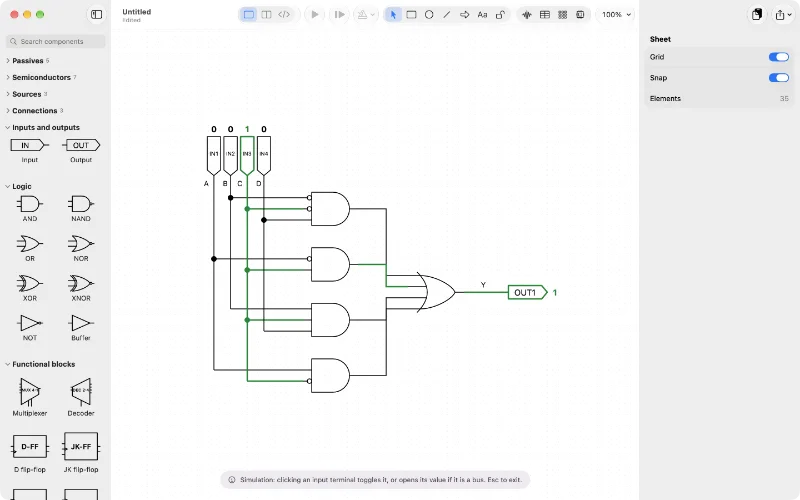
Change inputs and follow signal values through the network, including buses and sequential components. Step the clock manually or let it run.
Presents
Copy your diagram into Keynote as crisp vector graphics with a transparent background. You can also export a vector PDF or PNG, or print your document.
Truth tables and Karnaugh maps
Start with a Boolean expression on the sheet and generate its truth table, Karnaugh map, or circuit. Compare a circuit that follows the expression’s structure with a minimised circuit to show different implementations of the same function.
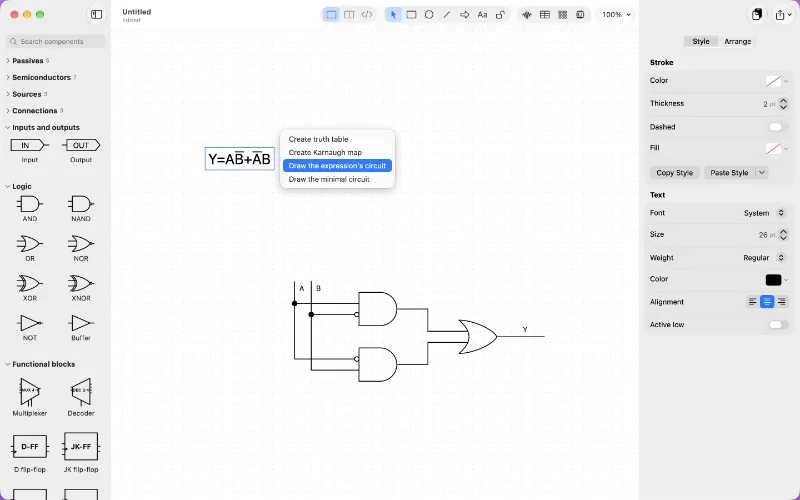
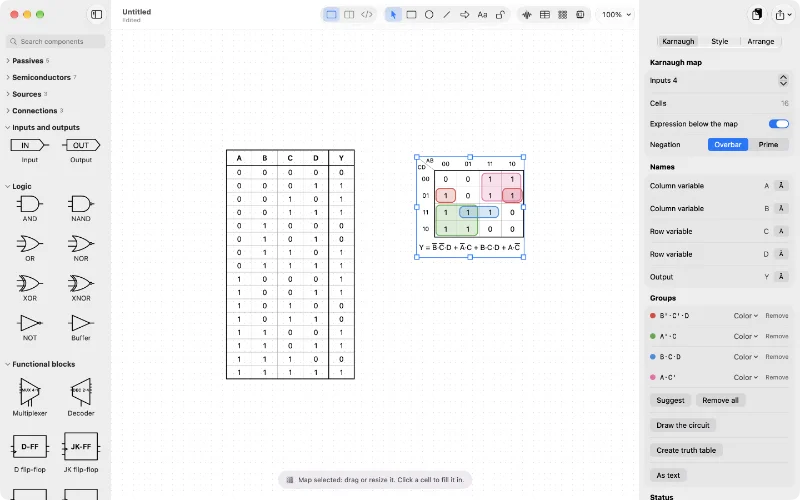
Extract a truth table from a combinational circuit, or generate a minimised circuit from a table. For comparison, you can also draw the canonical sum-of-minterms circuit. Circuit Deck calculates sum-of-products and product-of-sums expressions. On Karnaugh maps, draw groups by hand, request a suggested minimum cover, and turn the result into a circuit to show why a function simplifies.
Bring your circuit to life
Turn on simulation and watch signals travel through the circuit. With Pro, you can draw timing diagrams on the same sheet and calculate output waveforms from the input waveforms. Keep the circuit and its timing together, ready to explain or present.
Describe behaviour in VHDL with Pro
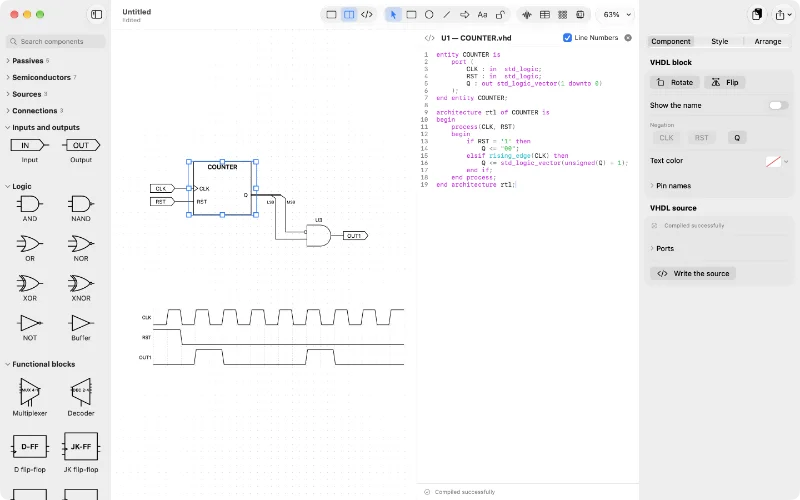
Add a VHDL block, write its source alongside the diagram, and simulate its logic together with the other components. The editor highlights syntax and reports errors by line and column. The entity ports become the block’s pins, and multiple blocks of the same entity can share the source.
VHDL simulation covers the constructs supported by Circuit Deck; it does not replace a full VHDL simulator.
Start free, choose Pro when you need more
The app is free to download, so you can try the workflow from drawing to simulation and presentation before choosing Pro.
Circuit Deck Free
Draw with basic shapes and blocks, and add up to three components per document. Create truth tables with up to three inputs and one output, and Karnaugh maps with up to three inputs. Logic simulation, copying to Keynote, exporting, and printing are included.
Circuit Deck Pro
With a one-time purchase and no subscription, you can add unlimited components, create truth tables with up to twelve inputs and eight outputs and Karnaugh maps with up to six inputs, draw timing diagrams and PAL structures, and create and edit VHDL blocks.
Documents created with Pro can still be opened, edited, copied, exported, and printed in the free version. Source code in existing VHDL blocks remains readable and can be simulated; editing it requires Pro.
Your documents stay yours
Your diagrams are local files on your Mac. There is no account to create, and the app includes no ads or tracking. Built-in help is available as you work on your document.
Ready to draw your next circuit?
Download Circuit Deck for Mac and start with a diagram, a truth table, or a Karnaugh map.